Tamil support for the Xteink X4 reader
Or how on earth do you render Tamil characters without a shaping engine?
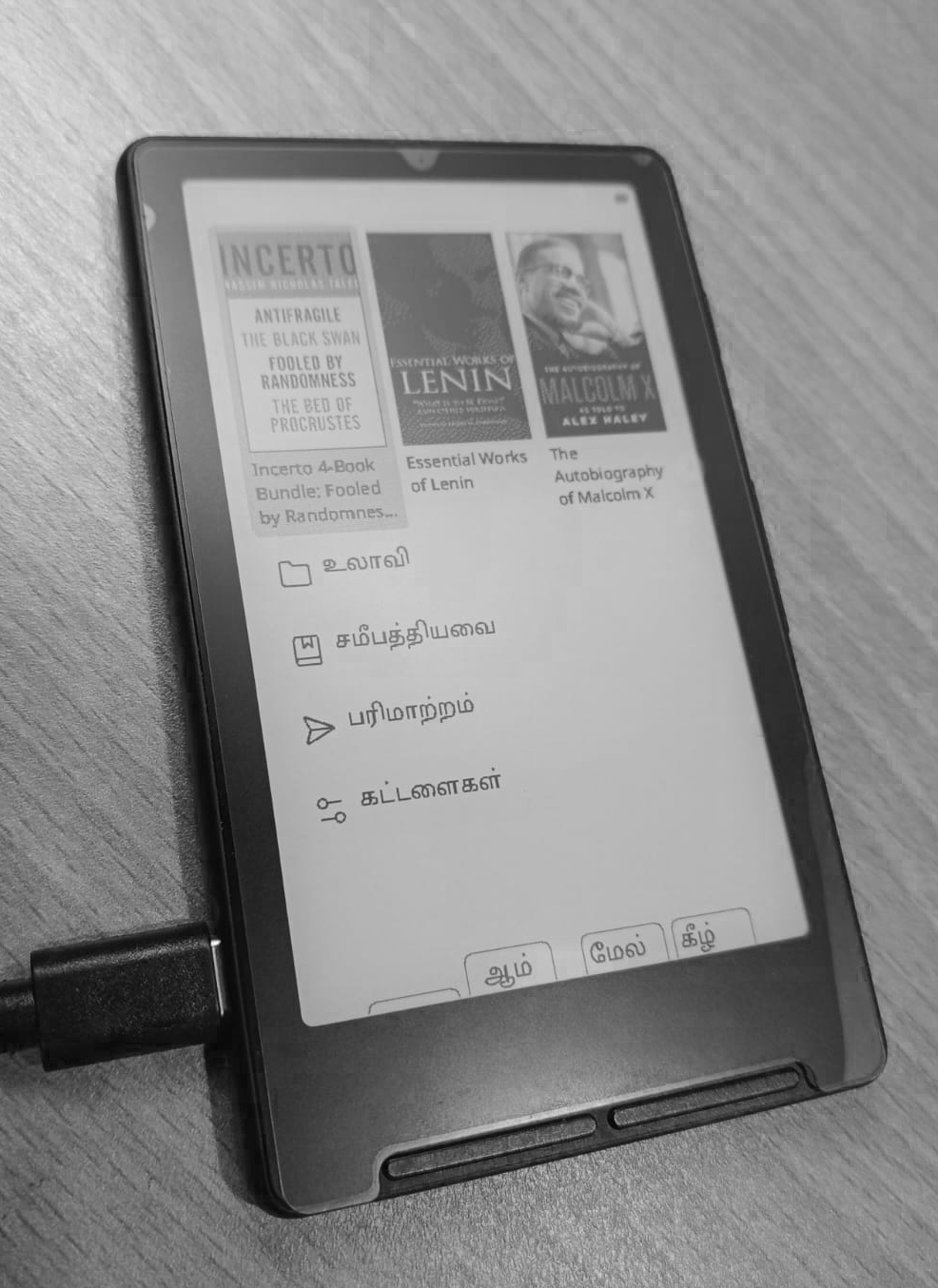
I recently bought the Xteink X4 e-reader and I must say I am impressed by what it delivers, despite its hardware limitations. It runs on a 32bit ESP32-C3, with only about 400kb of SRAM and 16MB of flash. When dealing with a system that small, it may not be ideal to expect i18n features that parallel other contemporary devices, but it has proven itself to be great at what it does, supporting EPUB files of most languages with the Latin and Cyrillic scripts, with the addition of an community developed firmware1.
So adding support for Tamil characters should be as easy as sideloading a Tamil font and that should be it, right?2 Except it’s not that simple.
The Tamil writing system falls under what’s called a ‘abugida’3 system: each unit consisting of a consonent-vowel sequence. So although there are around a 247 characters in the language, they can be represented within the 12 vowels and 18 consonants, or a combination of them.
Unicode follows the same, it doesn’t include all possible characters that is used in Tamil, instead using a shorter subset of the characters which fall within the range U+0B82 and U+0BCD (about 75 characters), to represent every character used in modern usage.
For example: The character for Tea (டீ) is actually composed of two unicode characters - ட
and ◌ீ. This is not always left-to-right: The character Pay (பே) also consists
of two characters, but the second input character (ே) precedes the first (ப) in the
ligature.
Keeping these things in mind, I designed a library to render the Tamil characters in the CrossPoint eReader. The character rendering happens at the system level, so the characters could be rendered in the UI itself as well as within the EPUB opened. The core of the program can be summarised as:
  // 3. Above vowel sign (ி ீ)
  if (aboveVowel != 0) {
    PositionedGlyph g;
    g.codepoint   = aboveVowel;
    g.xOffset     = 0;
    g.yOffset     = TamilOffset::ABOVE_VOWEL;
    g.zeroAdvance = false;
    cluster.glyphs.push_back(g);
  }

  // 4. Below vowel sign (ு ூ)
  if (belowVowel != 0) {
    PositionedGlyph g;
    g.codepoint   = belowVowel;
    g.xOffset     = 0;
    g.yOffset     = TamilOffset::BELOW_VOWEL;
    g.zeroAdvance = false;
    cluster.glyphs.push_back(g);
  }

  // 5. Right vowel sign (ா)
  if (rightVowel != 0) {
    PositionedGlyph g;
    g.codepoint   = rightVowel;
    g.xOffset     = 0;
    g.yOffset     = 0;
    g.zeroAdvance = false;
    cluster.glyphs.push_back(g);
  }

  // 6. Right-half of split vowel
  if (rightSplit != 0) {
    PositionedGlyph g;
    g.codepoint   = rightSplit;
    g.xOffset     = 0;
    g.yOffset     = 0;
    g.zeroAdvance = false;
    cluster.glyphs.push_back(g);
  }

  // 7. Virama / pulli (்) — displayed above/after consonant, no advance
  if (virama != 0) {
    PositionedGlyph g;
    g.codepoint   = virama;
    g.xOffset     = -1;
    g.yOffset     = TamilOffset::VIRAMA;
    g.zeroAdvance = true;
    cluster.glyphs.push_back(g);
  }

  // 8. Anusvara (ஂ) — above the consonant
  if (anusvara != 0) {
    PositionedGlyph g;
    g.codepoint   = anusvara;
    g.xOffset     = 0;
    g.yOffset     = TamilOffset::ANUSVARA;
    g.zeroAdvance = true;
    cluster.glyphs.push_back(g);
  }
That’s right, simply adjusting the offsets based on the character input.
Is this the fix? Almost yes, because this fails to consider the case of the ‘u’ and ‘uu’ vowel signs that are not a simple alignment unlike the other vowel signs. It transforms the character entirely as done in modern text rendering libraries.
-
You could technically do that, but the text become undecipherable out of the box. ↩